
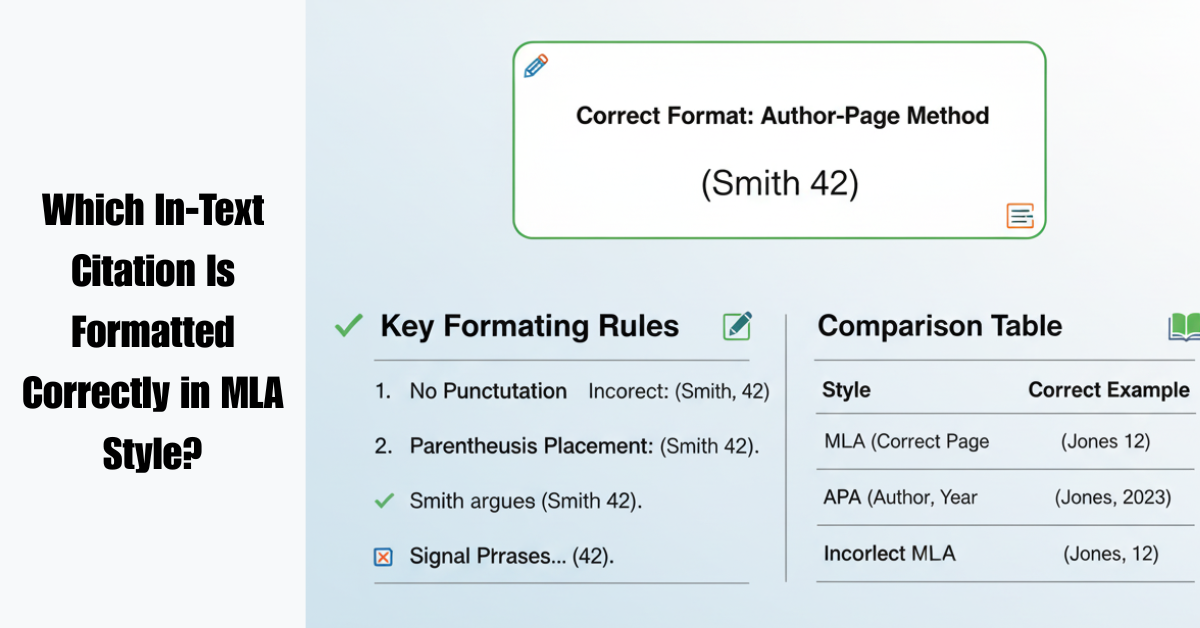
Citations can feel confusing, especially when you’re trying to follow strict academic formatting rules. If you’ve ever wondered which in-text citation is formatted correctly in MLA style, you’re not alone. Many students struggle to understand how to cite sources properly within their writing.
In MLA (Modern Language Association) style, in-text citations are used to give credit to the original author while keeping your writing clear and readable. They connect your ideas to the Works Cited page, allowing readers to trace where the information came from.
In this guide, we’ll break down which in-text citation is formatted correctly in MLA style, explain the rules in plain language, and provide real examples you can easily follow.
Understanding MLA In-Text Citations
Before identifying which in-text citation is formatted correctly in MLA style, it helps to understand the basic rule behind MLA citations.
MLA uses the author-page format, meaning the citation usually includes:
-
The author’s last name
-
The page number
Unlike some other citation styles, MLA does not include a comma between the author and page number.
Correct Basic Format
Example:
Climate change is accelerating faster than previously expected (Smith 42).
Here:
-
Smith = author’s last name
-
42 = page number
This is an example of a correctly formatted MLA in-text citation.
Which In-Text Citation Is Formatted Correctly in MLA Style?
Let’s look at some examples and identify the correct one.
Example Options
-
(Smith, 42)
-
(Smith 42)
-
(Smith p. 42)
-
(Smith: 42)
Correct Answer
(Smith 42)
This is the correct format because MLA guidelines require:
-
No comma
-
No “p.” before the page number
-
Only the author’s last name and page number.
According to the MLA Handbook, this format ensures consistency and readability in academic writing.
When the Author’s Name Appears in the Sentence
Sometimes the author’s name is already mentioned in the text. In that case, the page number alone goes in parentheses.
Example
Smith argues that climate change is accelerating faster than predicted (42).
Notice that the author’s name does not repeat inside the parentheses.
MLA In-Text Citation Examples
Here are several examples showing which in-text citation is formatted correctly in MLA style.
1. Single Author
Correct:
Social media has dramatically changed communication (Brown 87).
2. Two Authors
When a source has two authors, include both last names.
Correct:
Digital marketing strategies continue to evolve (Garcia and Lee 53).
3. Three or More Authors
Use the first author followed by et al.
Correct:
Artificial intelligence is transforming industries (Johnson et al. 120).
4. No Author
If no author is listed, use a shortened version of the title.
Correct:
Global tourism declined significantly during the pandemic (“Travel Trends” 14).
Common MLA Citation Mistakes to Avoid
Many students incorrectly format citations without realizing it. If you’re unsure which in-text citation is formatted correctly in MLA style, avoid these mistakes.
1. Adding Commas
Incorrect:
(Smith, 42)
Correct:
(Smith 42)
2. Writing “p.” Before the Page Number
Incorrect:
(Smith p. 42)
Correct:
(Smith 42)
3. Including the Author’s First Name
Incorrect:
(John Smith 42)
Correct:
(Smith 42)
Why MLA In-Text Citations Matter
Using correctly formatted citations is essential for several reasons:
-
Avoid plagiarism
-
Give credit to original authors
-
Strengthen academic credibility
-
Help readers locate sources
In academic writing, proper citations show that your research is trustworthy and well-supported.
Quick MLA Citation Checklist
Before submitting your paper, check that your citation follows these rules:
Author’s last name included
Page number included (if available)
No comma between author and page number
No “p.” or “pg.” before page numbers
Source listed in the Works Cited page
FAQs About MLA In-Text Citations
What is the correct MLA in-text citation format?
The correct format is:
(Author’s Last Name Page Number)
Example:
(Smith 42)
Do MLA citations include commas?
No. MLA does not use commas between the author’s name and the page number.
Incorrect:
(Smith, 42)
Correct:
(Smith 42)
What if there is no page number?
If the source has no page number (like many websites), include only the author’s name.
Example:
(Smith)
What if there are multiple authors?
For two authors, include both names.
Example:
(Smith and Johnson 67)
For three or more authors, use:
(Smith et al. 67)
Do MLA citations use “p.” before page numbers?
No. MLA style never includes “p.” or “pp.” in in-text citations.
Correct:
(Smith 42)
Conclusion
Understanding which in-text citation is formatted correctly in MLA style is an essential skill for students, researchers, and academic writers. The key rule is simple: include the author’s last name and the page number without commas or extra labels.
By following these guidelines and checking your citations carefully, you can ensure your work remains credible, properly sourced, and academically sound.
If you’re writing research papers frequently, it’s worth bookmarking reliable guides like the MLA Style Center or exploring more tutorials on citation formatting to sharpen your academic writing skills.